Copy to a data room
:::info Paid feature Direct copy to a data room is available from the Business plan. :::
When you receive a file transfer, you can copy them directly into a data room without an intermediate download to your device. The files are re-encrypted on the fly for the members of the target data room, and you find them immediately in the collaborative space.
How to do it
- Go to Dashboard > Transfer > Inbox
- Open the received transfer
- For each file (or group of files), click on Copy to a data room
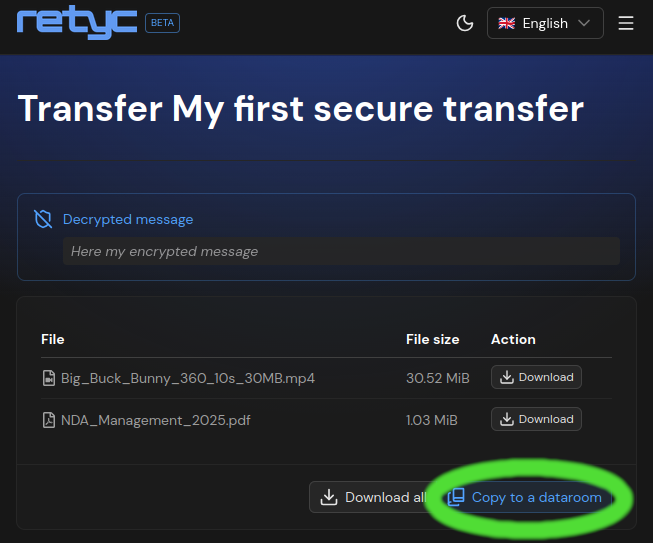
- Select the destination data room
- Confirm
The files are re-encrypted on the fly in your browser for the members of the target data room. You do not need to download them to your device.
This is the fastest way to archive collected documents (applications, supporting documents, deliverables…) in a collaborative space shared with your team.
Quota
The storage consumed by the transferred files is charged to the owner's quota of the destination data room, not yours.