Thunderbird Extension
The Retyc extension for Thunderbird lets you send large files directly from your email client, without leaving Thunderbird. Files are end-to-end encrypted and shared via a secure Retyc link.
The extension is open source: github.com/retyc/retyc-thunderbird-plugin
Installation
1. Find the extension
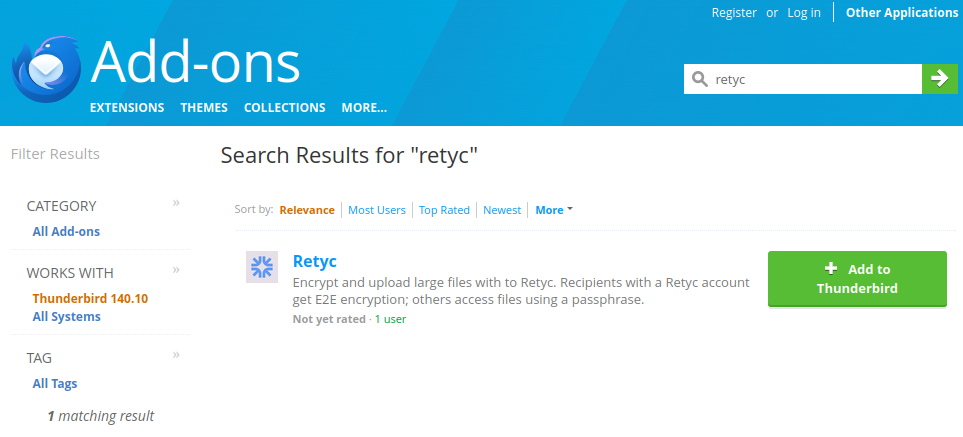
In Thunderbird, go to Tools > Add-ons and Themes and search for Retyc. You can also go directly to the Thunderbird Add-ons catalog.
Click + Add to Thunderbird.
2. Confirm permissions
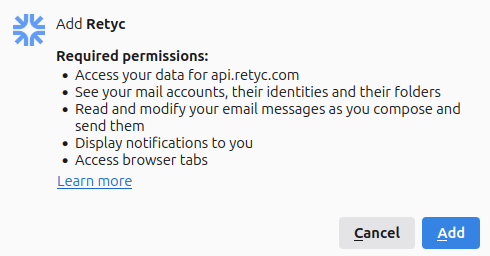
A window lists the permissions required by the extension. Click Add to complete the installation.
First login
When composing an email, the Retyc button appears in the toolbar. If you are not yet logged in, a notification is displayed:
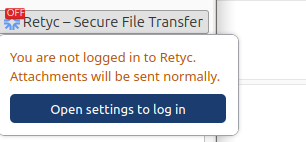
Click Open settings to log in. The Retyc panel opens:
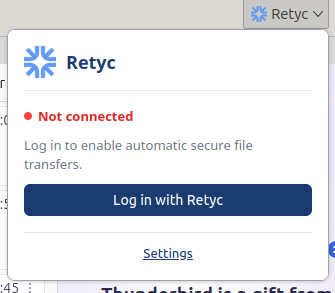
Click Log in with Retyc. A device authentication flow starts: open the URL displayed in your browser and enter the code shown.
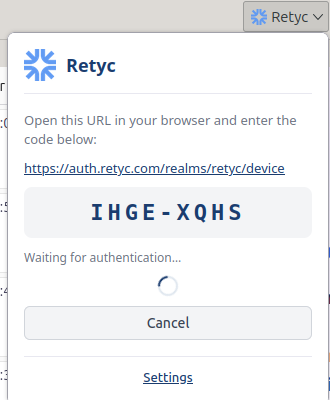
Once authenticated, the panel shows Connected and Retyc is active.
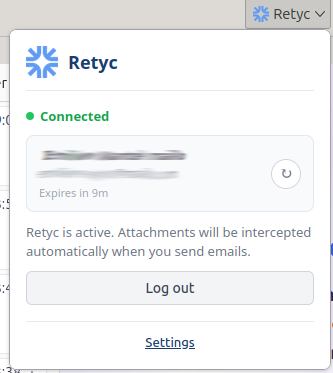
Once connected, Retyc automatically intercepts attachments when you send emails.
Manual installation
If you prefer to install the extension without the catalog, download the latest version from GitHub, then in Thunderbird:
- Go to Tools > Add-ons and Themes
- Click the gear icon, then Install Add-on From File
- Select the downloaded
.xpifile