Gmail Extension
The Retyc extension for Gmail lets you send large files directly from the compose window. Your files are encrypted in your browser before leaving your device. They never go through Gmail attachments.
The extension is open source: github.com/retyc/retyc-gmail-plugin
Compatibility
- Chrome, Edge, Brave (Chromium-based browsers)
- Firefox 140 or later
Installation
Install the extension from the Chrome Web Store or from the Firefox Add-ons catalog. Once installed, the Retyc icon appears in the toolbar of all your Gmail compose windows.
First login
On your first click on the Retyc icon, the extension displays a code and a URL. Open that URL in your browser, log in to your Retyc account, then enter the displayed code. Your credentials are saved — you won't need to log in again.
Usage
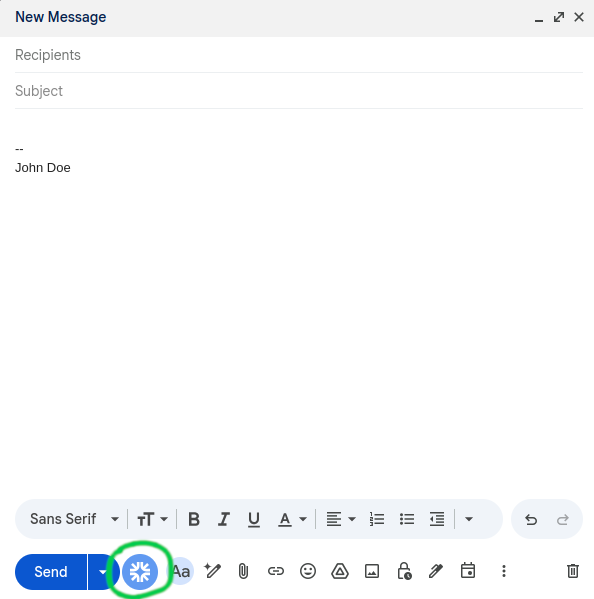
Compose your email in Gmail, then click the Retyc icon in the toolbar at the bottom of the compose window.
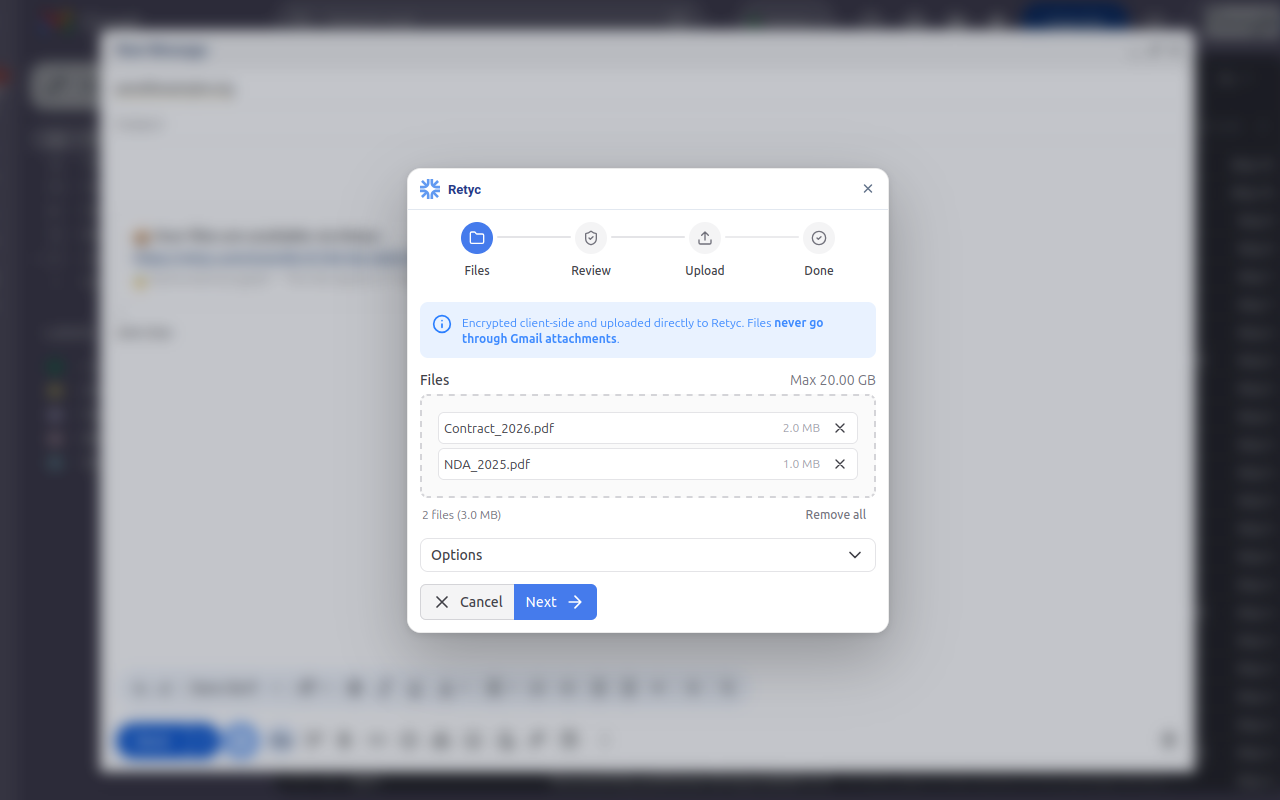
The Retyc window opens. Add your files by drag-and-drop or by clicking to choose them, then click Next.
Retyc automatically picks up the recipients from the To, Cc, and Bcc fields of your email. Review them, add a password if needed, then click Encrypt & upload.
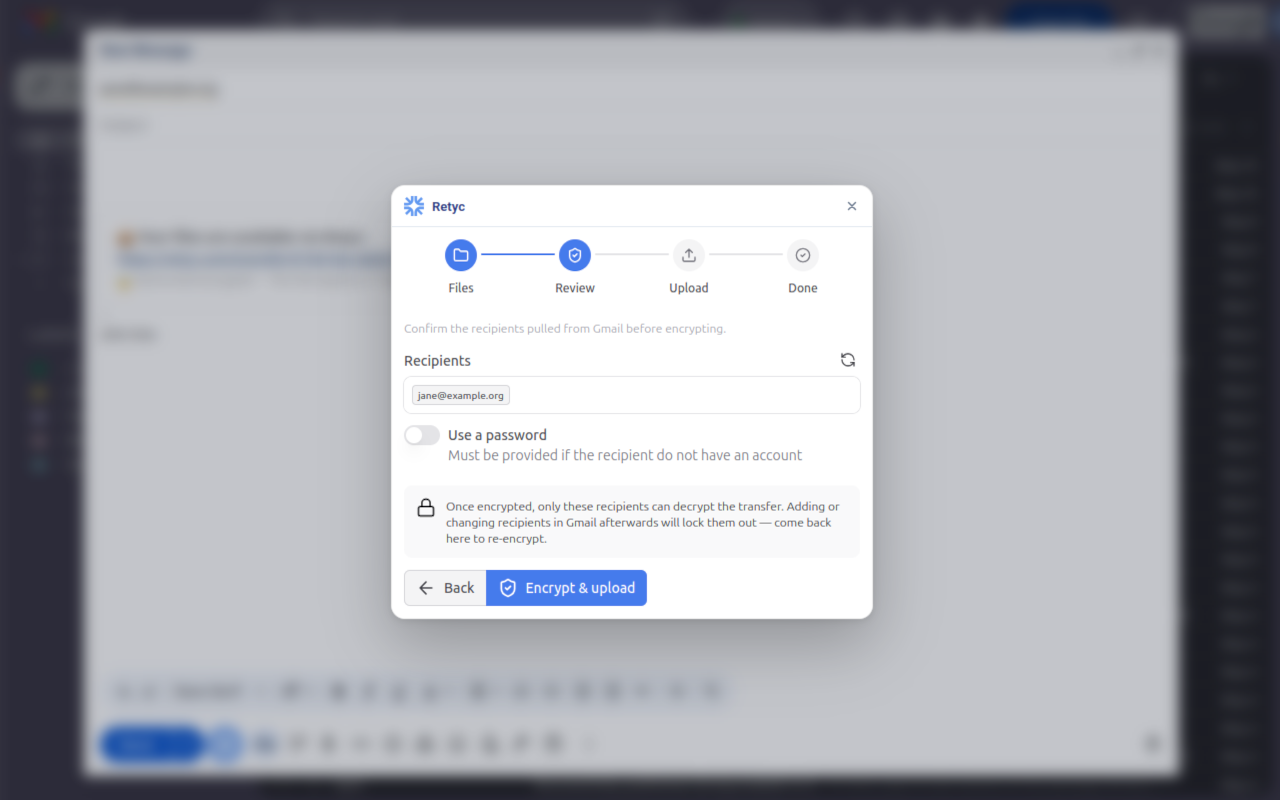
If the recipient does not have a Retyc account, set a password: they will be prompted for it when downloading the files.
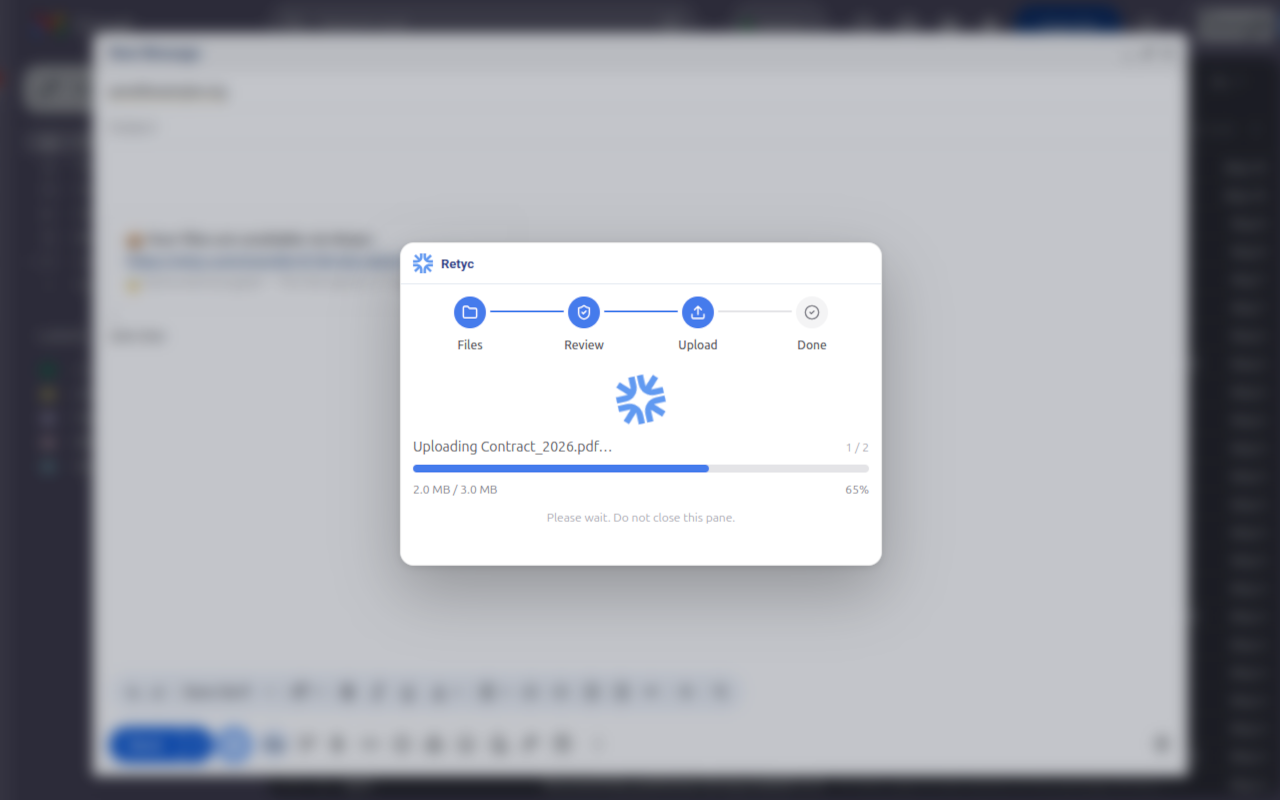
Retyc encrypts your files and sends them to its servers.
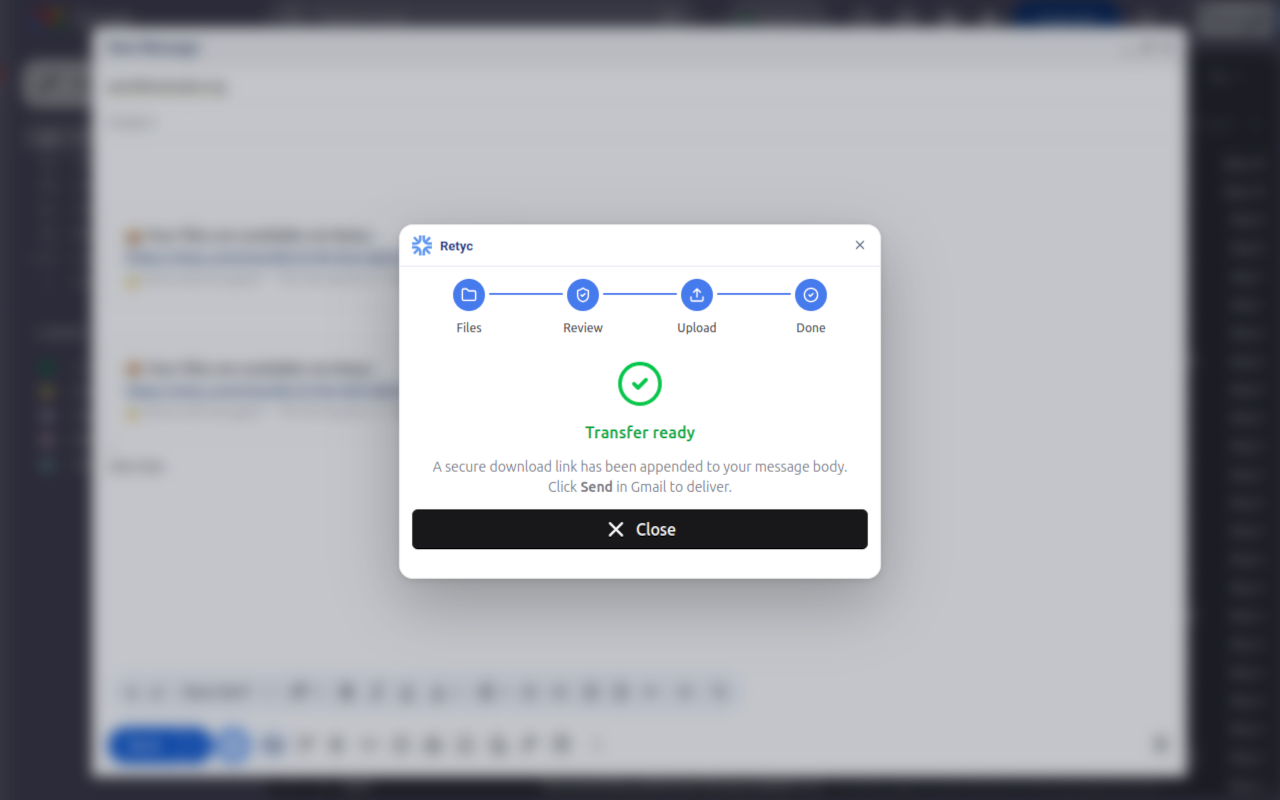
The transfer is ready. A secure link has been added to the body of your email. Close the panel and click Send in Gmail to deliver.