Create an account
Retyc uses a centralized authentication system (SSO). Account creation is done directly from the Retyc home page.
Steps
1. Access the login page
Go to retyc.com and click on Login or Sign up. You can also access the application directly at app.retyc.com.

2. Create your account
Two options are available:
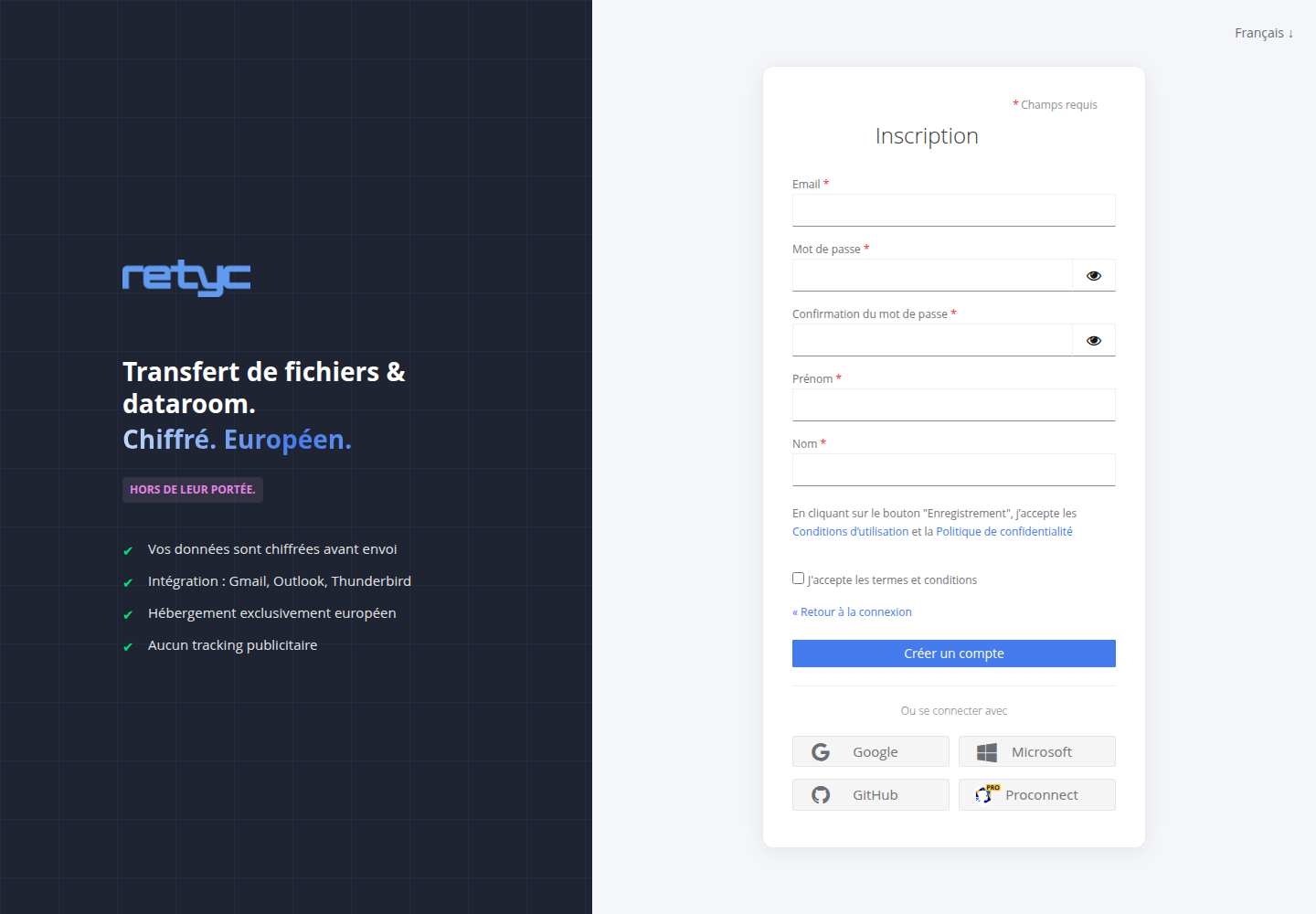
Via email: click on Create an account, enter your email address and a secure password (minimum 12 characters recommended), then confirm with Sign up.
Via an identity provider: click the Google, Microsoft, GitHub, or ProConnect button (the French public service SSO) to sign up in one click without setting a password.
3. Verify your email address
A confirmation email is sent to the provided address. Click on the verification link to activate your account.
If you do not receive the email within 5 minutes, check your spam folder.
4. Set up your encryption key
On your first login, Retyc invites you to create your personal encryption key and set a passphrase.
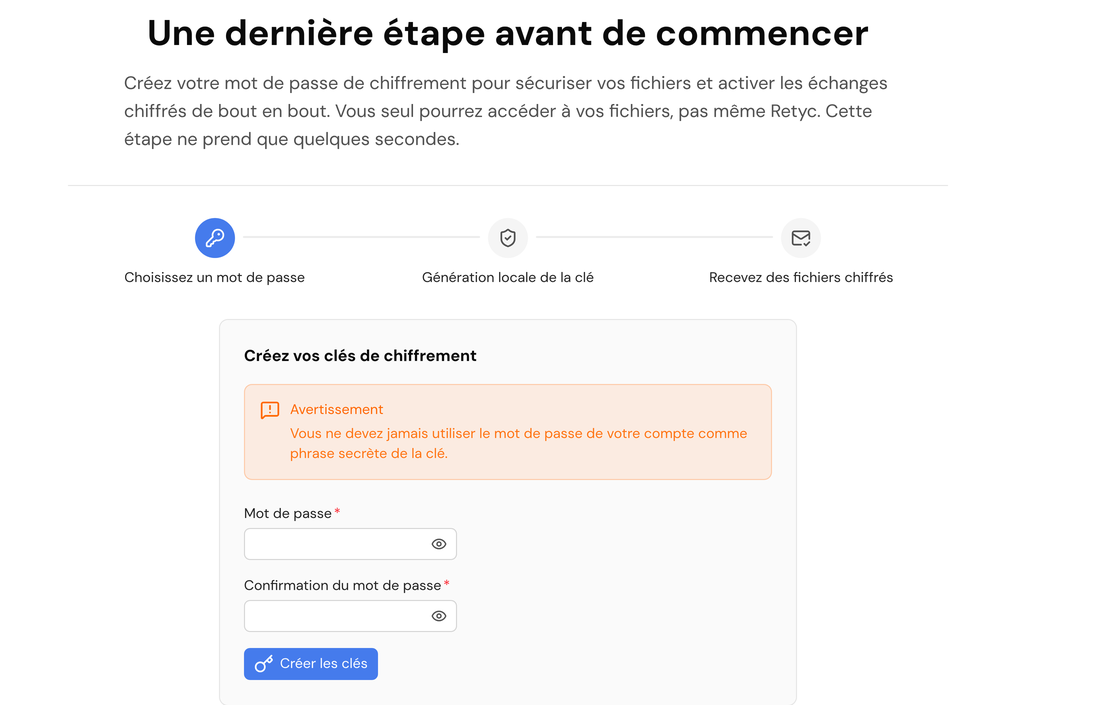
Keep your passphrase in a safe place. It protects your encryption key and cannot be reset by Retyc. Without it, you will no longer be able to decrypt your files.
Joining an existing organization
If your company already uses Retyc, an administrator can invite you directly by email. You do not need to create an account separately — you just need to accept the invitation.