Notifications and preferences
Retyc keeps you informed about your account activity in two ways: in-app notifications and, if you want them, email notifications.
In-app notifications
A bell at the top of the dashboard sidebar shows your recent activity. A colored dot indicates unread notifications.

There you find, among others:
- a received transfer (someone sent you files);
- a downloaded transfer (one of your transfers was downloaded);
- a data room invitation.
In-app notifications always stay visible here, regardless of your email preferences.
Email preferences
From the bell, click Manage my preferences, or go to Preferences > Notifications. You choose, type by type, what you receive by email. Notifications remain visible in the app even if you turn off their email delivery.
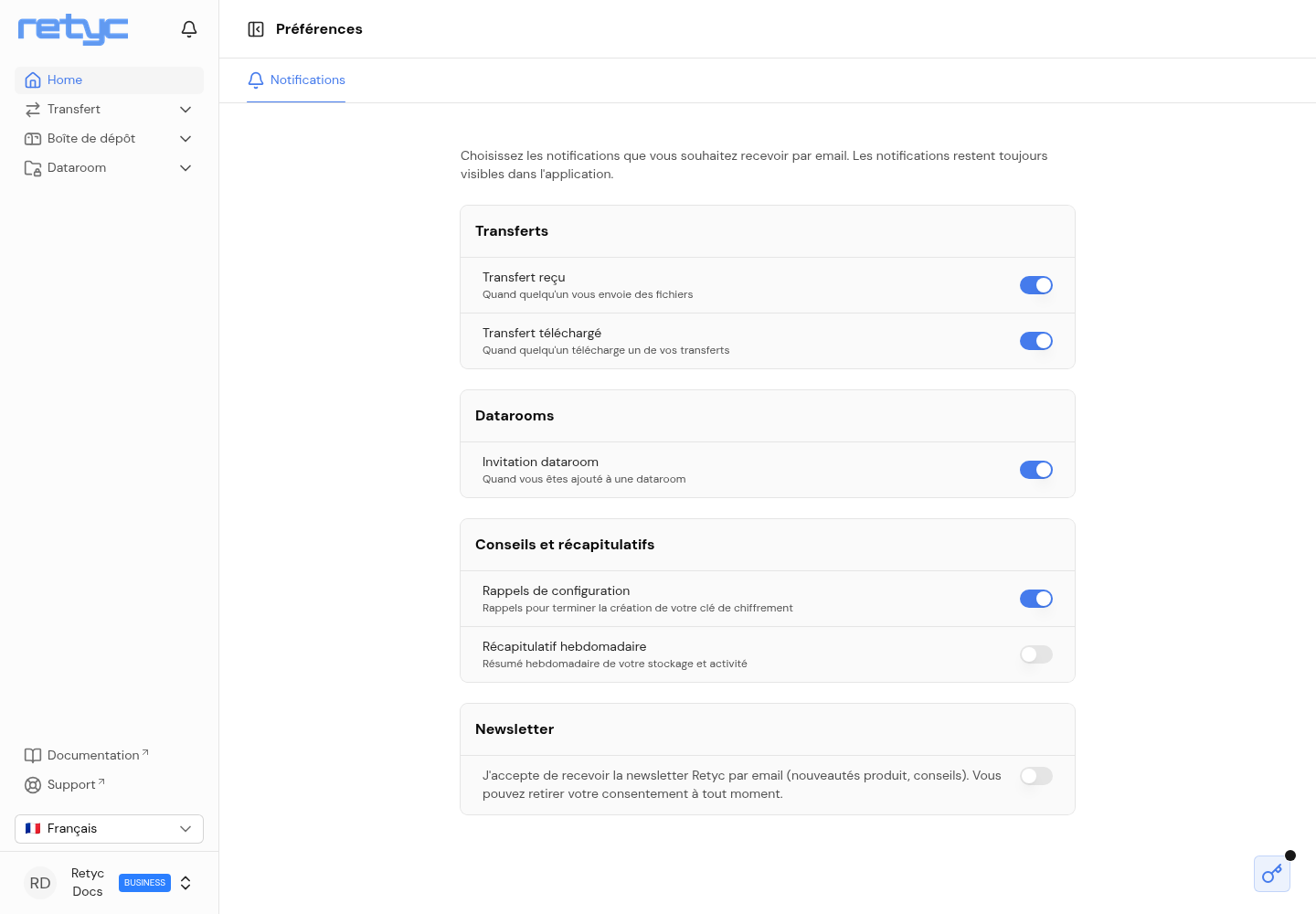
Preferences are grouped by category:
| Category | Notification | Trigger |
|---|---|---|
| Transfers | Transfer received | When someone sends you files |
| Transfers | Transfer downloaded | When someone downloads one of your transfers |
| Data rooms | Data room invitation | When you are added to a data room |
| Tips and summaries | Setup reminders | Reminders to finish setting up your encryption key |
| Tips and summaries | Weekly summary | Weekly recap of your storage and activity |
Newsletter
At the bottom of the page, you can opt in to the Retyc newsletter (product news, tips). This is a separate consent from account notifications, and you can withdraw it at any time.